A good monitor stand can free up desk space, raise your screen to a better height, and make a home office feel much cleaner. For this guide, I focused on Amazon US options for different setups: a basic single monitor arm, a smoother gas-spring arm, a dual monitor mount, a sit-stand converter, and a freestanding dual-screen stand with a built-in power strip.
Quick Picks
| Pick | Best for | Amazon rating |
|---|---|---|
| #1 Amazon Basics Single Monitor Arm | Simple desk space savings for one monitor | 4.5 / 5 |
| #2 HUANUO FlowLift Single Monitor Mount | Smoother adjustment and ergonomic positioning | 4.6 / 5 |
| #3 MOUNTUP Dual Monitor Stand | Two-monitor workstations | 4.5 / 5 |
| #4 VIVO 32-Inch Standing Desk Converter | Sit-stand work with dual monitor support | 4.6 / 5 |
| #5 Perlegear Dual Monitor Stand with Power Strip | Freestanding dual screens without desk clamps | 4.4 / 5 |
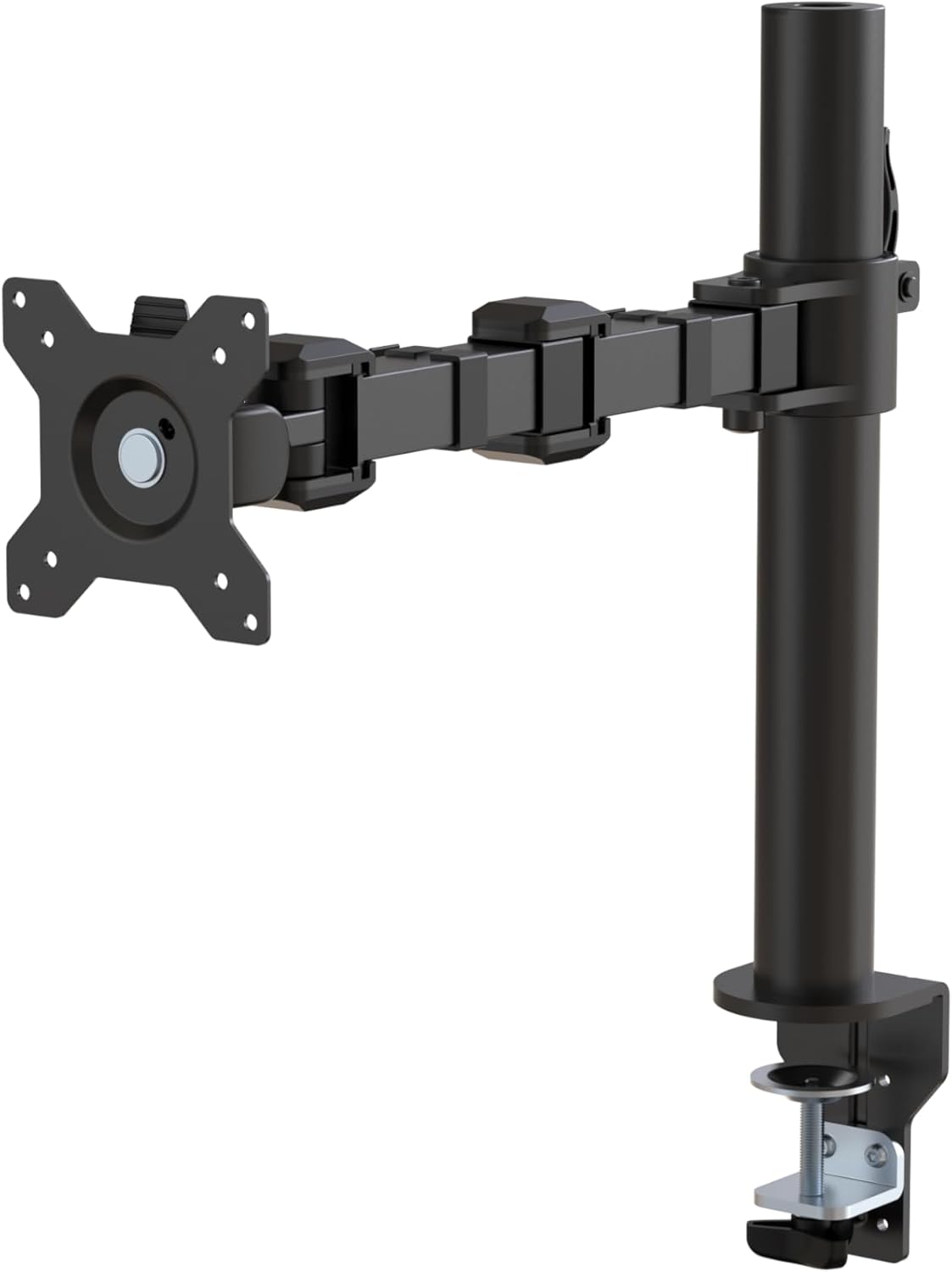
Amazon Basics Single Computer Monitor Stand
4.5 / 5 Amazon rating
The Amazon Basics single monitor arm is the easy starter pick for raising one screen and clearing desk space. It gives you height adjustment, tilt, rotation, and cable management without making the setup feel overcomplicated.
Best for: One-monitor desks, basic home offices, dorm setups, and users who want a cleaner workspace.
Pros
- Simple single-monitor design
- Helps clear space under the screen
- Good for common 13 to 30 inch monitors
Cons
- Less smooth than premium gas-spring arms
- Requires compatible VESA mounting holes

HUANUO FlowLift Single Monitor Mount
4.6 / 5 Amazon rating
The HUANUO FlowLift is a better fit if you frequently move your monitor throughout the day. Its adjustable arm lets you pull the screen closer, push it back, rotate it, or raise it for a more comfortable eye line.
Best for: Ergonomic desks, hybrid work, designers, and users who reposition their monitor often.
Pros
- Smoother positioning than basic pole mounts
- Clamp and grommet mounting options
- Good range for many 13 to 32 inch monitors
Cons
- Needs desk edge or grommet support
- Weight adjustment takes a little setup time

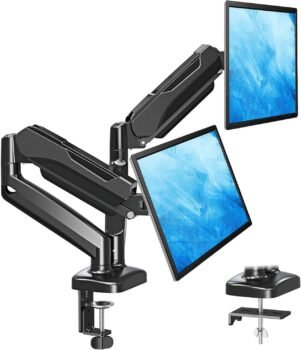
MOUNTUP Dual Monitor Stand
4.5 / 5 Amazon rating
The MOUNTUP dual monitor stand is built for people who want two screens aligned without using two separate bases. It is useful for spreadsheets, coding, design work, customer support, and any workflow where two displays stay on the desk every day.
Best for: Dual-monitor workstations, productivity setups, and desks that need more open space under the screens.
Pros
- Supports two monitors from one mount
- Clamp and grommet options help with desk fit
- Helps reduce clutter from two monitor bases
Cons
- Dual setup takes more alignment time
- Not ideal for very heavy or oversized displays

VIVO 32-Inch Standing Desk Converter with Dual Monitor Stand
4.6 / 5 Amazon rating
The VIVO converter is more than a monitor stand: it turns a regular desk into a sit-stand workstation and includes support for dual monitors. It is a strong pick if you want standing work without replacing your whole desk.
Best for: Sit-stand work, dual-screen home offices, and users who want a bigger workstation upgrade.
Pros
- Adds standing desk function to an existing desk
- Includes dual monitor support
- Large surface for keyboard and mouse
Cons
- Much larger than a basic monitor arm
- Costs more and takes more desk depth

Perlegear Dual Monitor Stand with Power Strip
4.4 / 5 Amazon rating
The Perlegear stand is useful if you want dual monitors but cannot clamp anything to the desk. The freestanding glass base gives the setup a cleaner look, and the built-in power strip is handy for charging accessories nearby.
Best for: Glass desks, rental desks, shared offices, and users who want dual screens without a clamp mount.
Pros
- Freestanding design avoids desk clamps
- Built-in power strip adds convenience
- Good option for two-screen setups
Cons
- Base takes more desk surface than clamp arms
- Less flexible than fully articulating dual arms
What to Look For in a Monitor Stand
Check VESA compatibility first. Most monitor arms need VESA 75x75mm or 100x100mm mounting holes. If your monitor does not have them, you may need an adapter or a simple desk riser instead.
Match the mount to your desk. Clamp mounts need a sturdy desk edge, while grommet mounts need a hole through the desktop. Freestanding stands are better when clamping is not possible.
Monitor weight matters. Stay within the listed weight range. A gas-spring arm that is overloaded may sag, while an arm holding a monitor that is too light may not adjust correctly.
Dual monitor setups take more planning. Check the width of your monitors and whether you want them side by side, stacked, or angled inward.
Think about movement. If you set the screen once and forget it, a basic stand is fine. If you move the screen daily, a smoother adjustable arm is worth paying for.
Final Verdict
For one monitor, the Amazon Basics Single Computer Monitor Stand is the simplest recommendation, while the HUANUO FlowLift is better if you want smoother movement. For dual displays, choose the MOUNTUP Dual Monitor Stand if you can clamp to the desk, or the Perlegear Dual Monitor Stand if you need a freestanding setup. If standing work matters, the VIVO Standing Desk Converter is the bigger upgrade.
Disclosure: As an Amazon Associate, SmartPicksScout may earn from qualifying purchases. Product availability, prices, ratings, and images can change on Amazon.