A good USB hub should fix port problems without making your desk messier. For this guide, I focused on popular Amazon US options for laptops, desktops, home offices, school setups, travel bags, and workstations that need more USB-A, USB-C, HDMI, Ethernet, or powered desktop ports.
Quick Picks
| Pick | Best for | Amazon rating |
|---|---|---|
| #1 Anker 555 USB-C Hub 8-in-1 | Most laptop users who want one compact hub for desk and travel | 4.5 / 5 |
| #2 Anker 332 USB-C Hub 5-in-1 | Students, commuters, and buyers who want a smaller USB-C hub | 4.5 / 5 |
| #3 UGREEN Revodok USB-C Hub | Value shoppers who need practical ports for modern laptops | 4.6 / 5 |
| #4 SABRENT 4-Port USB 3.0 Hub | Simple USB-A expansion for keyboards, mice, drives, and webcams | 4.6 / 5 |
| #5 TP-Link UH720 Powered USB 3.0 Hub | Desktop setups that need more stable powered USB ports | 4.4 / 5 |
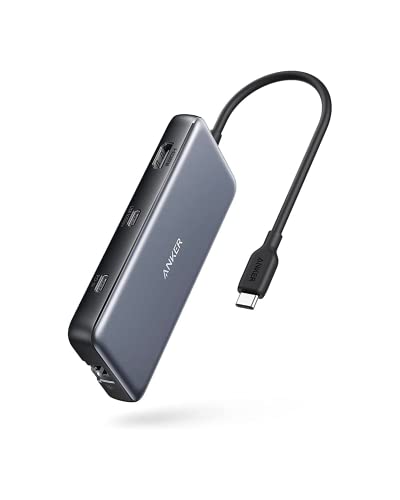
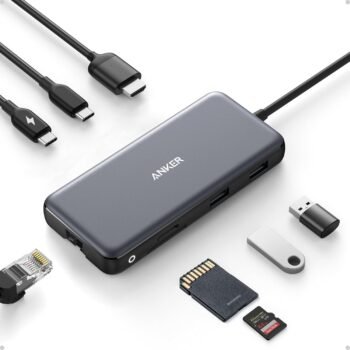
Anker 555 USB-C Hub 8-in-1
4.5 / 5 Amazon rating
The Anker 555 is the easiest overall recommendation because it covers the ports many slim laptops leave out. It combines USB data ports, HDMI, Ethernet, card reader support, and USB-C power delivery in a compact body that works well at a desk or in a travel bag.
Best for: MacBook, Windows laptop, and Chromebook users who want one hub for monitors, accessories, memory cards, and charging.
Pros
- Strong all-around port selection
- Useful for desk work and travel
- Power delivery support helps reduce cable clutter
Cons
- More expensive than basic USB-A hubs
- May be more hub than simple accessory users need
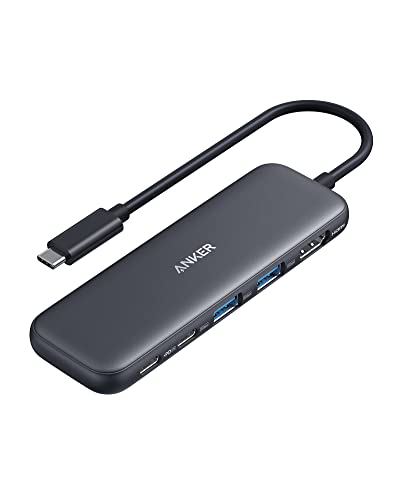
Anker 332 USB-C Hub 5-in-1
4.5 / 5 Amazon rating
The Anker 332 is a better fit if you want a smaller hub that still handles the everyday basics. It is easier to carry than larger docking-style adapters and makes sense for laptops with very few built-in ports.
Best for: Students, commuters, and remote workers who want a small USB-C hub for an everyday laptop bag.
Pros
- Compact and easy to pack
- Good basic expansion for USB-C laptops
- Cleaner option than carrying several adapters
Cons
- Fewer ports than larger hubs
- Not ideal for a heavy permanent workstation
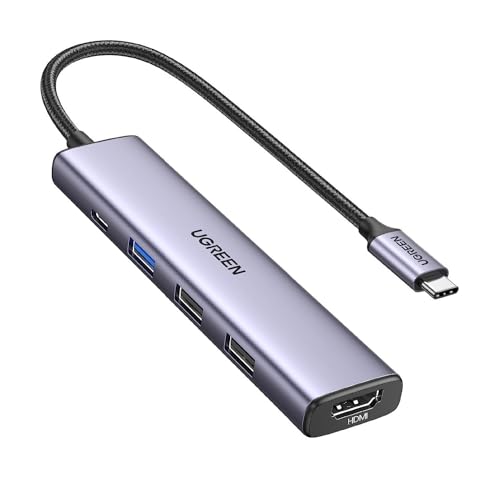
UGREEN Revodok USB-C Hub
4.6 / 5 Amazon rating
The UGREEN Revodok is a practical value pick for buyers who want useful expansion without paying for a full dock. It is especially helpful for thin laptops that only include one or two USB-C ports.
Best for: Home office users who want an affordable USB-C hub for accessories, display output, and basic laptop expansion.
Pros
- Good balance of price and everyday features
- Simple choice for USB-C laptops
- Compact enough for hybrid work setups
Cons
- Not as premium-feeling as higher-end hubs
- Port mix varies by exact listing, so check before buying
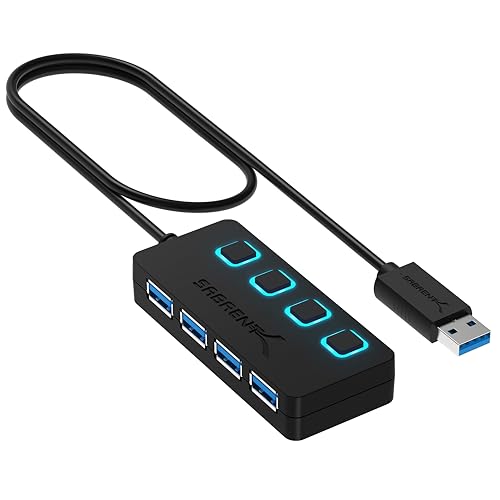
SABRENT 4-Port USB 3.0 Hub
4.6 / 5 Amazon rating
This Sabrent hub is the straightforward pick when you only need more USB-A ports. The individual power switches are convenient for turning accessories on or off without unplugging everything from the computer.
Best for: Keyboards, mice, flash drives, webcams, printers, and other low-power desktop accessories.
Pros
- Affordable and easy to understand
- Individual switches for each port
- Small footprint for laptop or desktop use
Cons
- No USB-C, HDMI, or Ethernet
- Not the right choice for several power-hungry devices
TP-Link UH720 Powered USB 3.0 Hub
4.4 / 5 Amazon rating
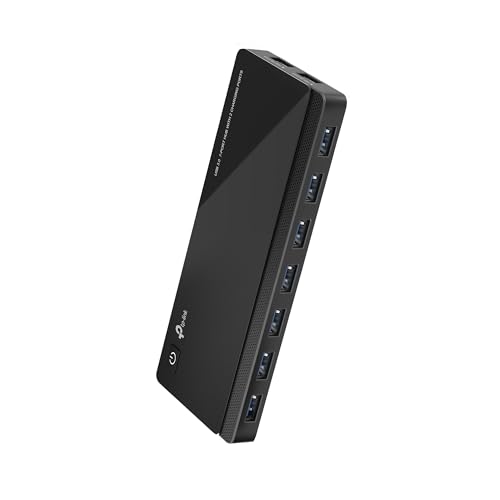
The TP-Link UH720 is better for a fixed desk than a travel bag. It adds multiple USB 3.0 ports and dedicated charging ports, and the included power adapter makes it more stable for accessories that need extra power.
Best for: Desktop workstations, powered accessories, external drives, and users who regularly plug in several devices at once.
Pros
- Powered design is better for heavier setups
- Many ports for a permanent workstation
- Dedicated charging ports add flexibility
Cons
- Bulkier than travel hubs
- Requires its own power adapter
What to Look For in a USB Hub
Match the connector to your computer. Newer laptops usually need USB-C hubs, while desktops and older laptops may only need simple USB-A expansion. Buy for the ports you actually use.
Decide whether power delivery matters. A USB-C hub with pass-through charging can keep a laptop powered while the hub is connected, which is useful for notebooks with only one or two USB-C ports.
Use powered hubs for heavier setups. External hard drives, multiple accessories, and charging devices can overwhelm a small unpowered hub. For a permanent desk, a powered hub is usually more stable.
Check display support carefully. If you need HDMI or 4K output, confirm the exact resolution and refresh rate on the Amazon listing. Some hubs support 4K at 30Hz, while others support smoother 60Hz output.
Final Verdict
For most laptop users, the Anker 555 USB-C Hub 8-in-1 is the best overall choice because it covers the most common missing ports in a compact design. If you want something smaller, choose the Anker 332 USB-C Hub. For basic USB-A expansion, the SABRENT 4-Port USB 3.0 Hub is simple and affordable, while the TP-Link UH720 is the better choice for a powered desktop setup.
Disclosure: As an Amazon Associate, SmartPicksScout may earn from qualifying purchases. Product availability, prices, ratings, and images can change on Amazon.